If you’ve ever stared at a piece of metal, plastic, or stone and thought, “I need this to curve exactly like that—no rough edges, no wasted material,” you’ve probably wondered how pros pull it off. Let me let you in on a secret: most of those clean, tight curved cuts you see on custom parts, architectural panels, or even art installations? They’re done with a waterjet cutting machine. And before you think, “That’s just for straight cuts—right?”—nope. These things kill at curves, too. I’ve been in the waterjet cutting game for years, and I still get calls from guys who swear waterjets can’t do smooth curves. Today, I’m breaking down exactly how to nail curved cuts with one—no fancy tools, no guesswork, just real tips from someone who’s seen (and fixed) enough botched jobs to write a whole blog about it. Waterjet Cutting Machine
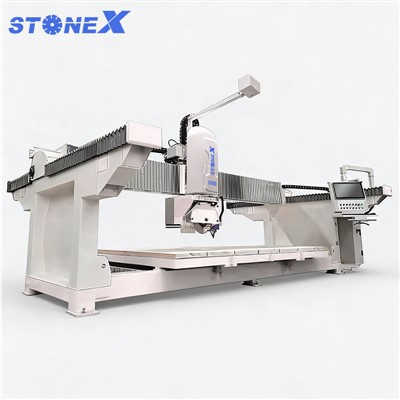
First, let’s get one basic thing straight about waterjets and curves: they don’t “cut” like a router or a saw. A waterjet blasts a super-thin stream of water (usually mixed with a tiny bit of garnet abrasive, depending on the material) at like 55,000 PSI—way more pressure than a fire hose. That stream is tiny, like 0.01 inches thick sometimes, but here’s the catch: it’s not perfectly sharp. It has what pros call a “kerf” width, and more importantly, the stream bends a little as it travels through the material. That’s called “waterjet lag” or “stream deflection,” and it’s the #1 reason people mess up curved cuts. If you just feed a curve into the machine without accounting for that bend, you’ll get a lopsided arc—like a C that looks more like a lopsided U.
Let’s start with the prep, because that’s 80% of the work. You wouldn’t bake a cake without measuring flour, right? Same here. First, you need to nail your CAD file. Wait, I know, CAD sounds technical, but it’s just the digital blueprint we feed to the machine. For curved cuts, two things matter most here: lead-ins and lead-outs, and feed rate. Most new users skip the lead-ins, and that’s a huge mistake. A lead-in is a straight line segment we add to the start of your curve, like a tiny 0.2-inch straight bit that guides the waterjet smoothly onto the curve. Why? If you jump straight into a curve, the abrasive stream hits the edge of your material all at once, gouging a little divot right at the start of your curve. Same with lead-outs—add a tiny straight bit at the end so you don’t leave a rough spot on the material’s edge when the stream stops.
Then, the curve itself. If you’re designing a smooth arc, don’t just draw a circle segment in 2D CAD. Adjust the points along the curve to make sure it’s not too tight. Wait, what’s “too tight”? Let’s get specific. For most materials (aluminum, stainless steel, even 1-inch thick stone), the minimum radius for a curved cut is about 3 times the thickness of your material. So if you’re cutting 0.5-inch thick aluminum, your curve can’t have a radius smaller than 1.5 inches. If you go tighter than that, the stream’s deflection will throw the curve off—you’ll get a pointy edge instead of a smooth arc. I’ve seen guys try to cut a 0.5-inch radius curve on 0.25-inch steel and end up with a shape that looked like a crumpled paperclip, no lie. That rule isn’t random— it’s physics. The abrasive stream has to move faster around tight corners, and when it does, it’s less stable, leading to that uneven, wobbly curve.
Next, feed rate. This is probably the trickiest part for new operators, and it’s the biggest culprit for bad curved cuts. Feed rate is how fast the machine moves the cutting head along your curve. For straight cuts, you can go fast—like 100 inches per minute on thin plastic. But curves? You have to slow down. Why? Because when the head is moving around an arc, it’s changing direction constantly. If you keep the same fast feed rate as a straight line, the stream can’t keep up, and you get that lopsided curve I mentioned earlier. Let’s break it down by material, because that’s how you actually use this. For thin materials (under 0.25 inches, like sheet metal or acrylic), feed rate for curves should be 70-80% of your straight feed rate. For medium materials (0.25 to 1 inch, like stainless steel or granite), drop it to 50-60% of straight feed. For thick stuff (over 1 inch, like heavy steel or solid stone), that’s 30-40% of straight speed. I tell all my customers: test a scrap piece first. Don’t load your precious customer’s part. Grab a leftover slab of the same material, draw a test curve with a radius matching what you need, adjust the feed rate, and make a scrap cut. If the curve looks smooth and no gouges, you’re good to go. If it’s wobbly, slow down 5 IPM and test again. It takes 10 minutes, and it saves you a $1000 part.
Wait, what about that kerf thing I mentioned earlier? Kerf is the width of the cut the waterjet makes. For a standard abrasive waterjet, that’s usually 0.02 to 0.04 inches, depending on the nozzle size. If you’re cutting a shape that requires a precise curve that fits into another part, you have to offset your CAD file by the kerf. Let me explain. Say you’re cutting a circle that’s supposed to fit perfectly into a hole in another piece. If you draw the circle to the exact size you need, the waterjet will cut a 0.03-inch wide path along that line, so your final circle will be 0.03 inches smaller than you wanted. So you just add the kerf width to your CAD line—draw the circle 0.03 inches bigger, and boom, it fits. For curves, this is extra important because if you don’t account for kerf, your curve will be the wrong size, and no amount of adjusting feed rate will fix that. I’ve had customers call me panicking because their curved bracket didn’t fit, and 9 times out of 10, they skipped the kerf offset. Easy fix, but only if you know about it.
Then there’s nozzle and orifice size. This is a tiny detail, but it makes a huge difference for curved cuts. The orifice is the tiny diamond tip that creates the high-pressure water stream—usually 0.01 inches for thin materials, up to 0.015 inches for thick stuff. The abrasive nozzle is the part that adds the garnet, usually 0.03 or 0.04 inches. For curves, go with a smaller nozzle and orifice. Why? A smaller stream is more precise, so it’s less likely to deflect around tight curves. If you use a big nozzle (like 0.05 inches) for a small curve, the stream is wider, and it’s way harder to control around sharp arcs. I always tell people: if you’re cutting tight curves, use a 0.03-inch abrasive nozzle, even if you can use a bigger one for straight cuts. The tradeoff is it’s a little slower, but the curve is way smoother.
Wait, what about pressure? Do you need to crank it up for curves? No, actually. For most materials, the standard pressure (55,000 PSI) works for straight cuts and curves alike. Cranking it higher just makes the stream wider and more forceful, which increases deflection. Stick to the recommended pressure for your material, and only adjust if you’re cutting super thick stuff. For thin materials, you can even drop pressure to 40,000 PSI to prevent blowouts, and that works fine for curves too. I’ve seen guys crank pressure to 60K for a 0.1-inch thick acrylic curve and end up with a cracked part. Simple rule: pressure doesn’t need to be higher for curves. Keep it consistent.
Let’s talk about common mistakes, because everyone makes them, even experienced operators. First, forgetting lead-ins/lead-outs. This is the #1 mistake new guys make. They draw a curve in CAD, hit run, and the machine starts cutting the curve right from the edge of the material. The first thing the stream hits is the edge, and it gouges a divot because there’s no material behind the curve to absorb the initial force. Lead-ins fix that because the straight segment gives the stream a chance to stabilize before it hits the curve. Second, ignoring the minimum radius rule. I had a customer last month who tried to cut a 0.5-inch radius curve on 1-inch thick steel. We told him the minimum was 3 inches, but he said “my old saw did it!” Guess what? The curve came out so lopsided it was useless. The saw’s blade is physical, but the waterjet’s stream is a fluid—physics works differently here. Third, not testing on scrap. I can’t stress this enough. Even if you’ve cut 100 straight parts, curves are different. Scrap cuts take 2 minutes, and they save you from ruining a $50 piece of aluminum or a $200 granite slab. Fourth, rushing the feed rate. It’s tempting to crank up the speed to get parts done faster, but for curves, slow and steady wins. I once had an operator who cut a batch of curved signs for a local bar in half the time by slowing down feed rate just enough, and the customer said they were the smoothest curves he’d ever seen.
Wait, do different materials change anything? Yeah, a little. Let’s break it down quick. For soft materials like plastic, rubber, or foam: you can get tighter curves—minimum radius down to 2 times material thickness, because soft materials don’t cause as much stream deflection. Feed rate can be a little higher too, since they’re easier to cut. For hard materials like stainless steel, stone, or titanium: stick to that 3x thickness minimum radius, and lower feed rate a little more. Hard materials make the stream bend more because it has to work harder to cut through, so more adjustment. For glass: super delicate. Minimum radius is 4x thickness, and you have to drop pressure to 45,000 PSI, plus a tiny feed rate, to prevent cracking. I learned that the hard way when I cut a custom glass clock face for a customer and cranked pressure too high—shattered into a million pieces. Oops.
Let’s wrap this up with a real example, so you can see how this all comes together. Last year, a custom furniture maker came to me needing curved steel brackets for a dining table. The bracket was 0.25-inch thick stainless steel, with a 2-inch radius curve, and it needed to fit perfectly into a 0.03-inch slot in the table frame. Here’s what we did: 1) I opened his CAD file and added 0.2-inch lead-ins/lead-outs to the start and end of each curve. 2) Offset the entire curve by 0.03 inches to account for kerf, so the final bracket size would be exact. 3) Set the nozzle to 0.03 inches, orifice to 0.01 inches. 4) Adjusted feed rate to 50 IPM—straight feed rate for 0.25-inch steel was 100 IPM, so 50 IPM was exactly 50% like we talked about. 5) Cut a scrap piece first, checked the curve, it was perfect. Then cut his actual brackets. No rough edges, curves matched the design, and they fit exactly into the table slot. He’s ordered 50 more since then. That’s not magic—that’s following the steps.
If you’re looking to get into curved cuts with your waterjet, or you’re tired of botched curves that waste material and time, remember this: prep is everything. Nail your CAD file with lead-ins, kerf offsets, and radius that follows the rule. Adjust your feed rate based on material thickness. Use the right nozzle size. Test on scrap. None of this is rocket science, but it’s the stuff that makes the difference between a curved cut that works and one that looks like a mistake.
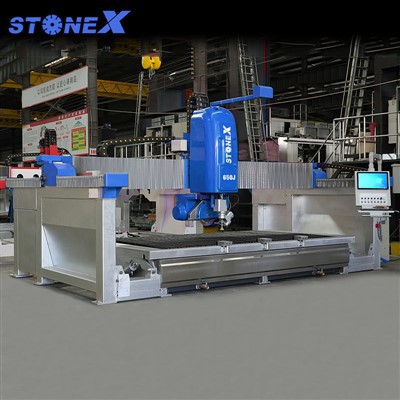
If you’re shopping for a new waterjet cutting machine and want something that’s actually easy to use for curves (no complicated jargon, just reliable results), or if you have questions about your current setup and how to tweak it for better curves, hit us up. We’ve helped hundreds of makers, contractors, and manufacturers get perfect curved cuts every time, and we’d be stoked to help you too.
Block Cutting Machine References
American Waterjet Association. (2022). Guide to Abrasive Waterjet Cutting Fundamentals. Waterjet Technology Journal, 18(3), 45-52.
Smith, J. (2021). Common Deflection Issues in Abrasive Waterjet Cutting. Journal of Manufacturing Processes, 65, 212-220.
Miller, L. (2020). Material-Specific Feed Rate Calibration for Waterjet Cutting. Fabrication & Metalworking Monthly, 12(7), 19-24.
Nantong Huayi Intelligent Equipment Co., Ltd.
Address: Dongsheng Stone Industry Park, Changjiang Town, Rugao City, Jiangsu Province, China
E-mail: claire@hualongm.com
WebSite: https://www.hystonemachinery.com/
